Digital Leftovers: What a Used Car's Screen Says About Its Past
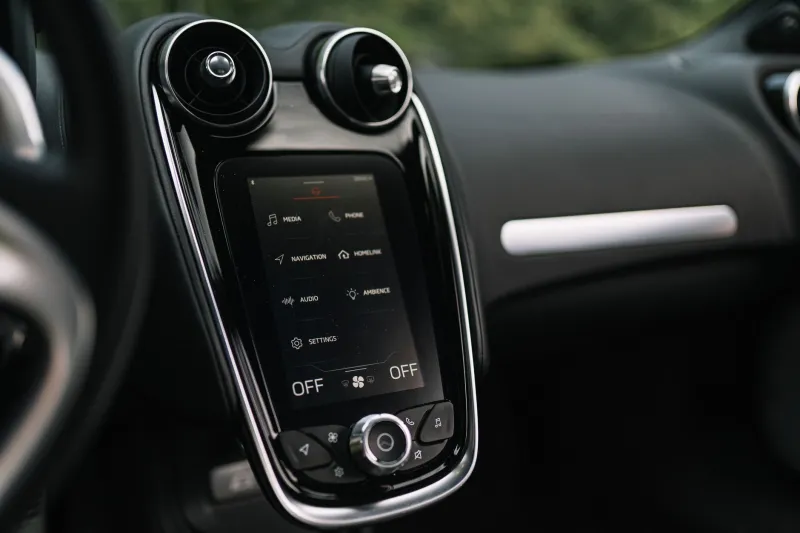
Most used-car checks start under the bonnet or with a folder of paperwork. That is the right instinct. But there is another history file sitting in the middle of the dashboard, and plenty of buyers never look at it properly. Modern infotainment systems remember paired phones, saved destinations, driver profiles, service reminders and account logins. None of that replaces a mechanical inspection. Used well, though, it can tell you how the car has been lived with — and whether the seller has been careful about the basics.
The screen is a trail of habits, not a service record
It is tempting to treat the infotainment system as proof of something. It is not. It is a trail of habits. A sat-nav history might show school runs, motorway commutes or caravan sites. A profile list might show that two people shared the car. A phone list might show one device or a dozen. Those clues can support a story the seller is telling you, but they cannot replace the MOT history, the service book, an HPI check or a proper test drive.
On a 2026 forecourt, screens are bigger and more connected than ever. That makes them useful, but also easy to overread. Treat the infotainment system as a conversation starter, not a verdict.
Look at it with the seller, not after the deal
Ask the seller to sit with you and demonstrate the menus. Do not start rummaging through someone else's personal data on a private driveway. If it is a private sale, ask them to show you the relevant screens and to clear anything personal before handover. A trade seller should expect the question and should be able to show you how the system works without making it awkward.
If the car is still showing the previous keeper's home address or an old phone pairing, that is a privacy issue and a sign that the handover prep was rushed. It is not automatically a mechanical red flag, but it is worth noting.
Six things worth a look
Paired phones
Open the Bluetooth menu. A long list of devices can suggest a busy life, multiple drivers or even hire use. A single device does not prove the car was a one-owner garage queen. What matters is whether the list has been cleared and whether any old phone still connects without permission. That is a data protection point as much as a buying one.
Saved sat-nav destinations
Home and work addresses, recent destinations and saved favourites can hint at commute length or regular long trips. Do not treat them as mileage evidence. A car can do a hundred short school runs and still show a low odometer reading, and a saved motorway service station proves nothing about the clutch. But if the seller says the car has been a local runabout and the nav is full of cross-country routes, it is fair to ask a question.
Driver profiles
Seat, mirror and climate settings stored under different names can suggest a shared car. That is not a problem in itself. It is simply context. Check whether the profiles still carry personal names and whether the seller knows how to remove them.
Service reminders
These are reminders, not records. A car can show an oil service due because nobody reset the counter, or show everything clear because somebody reset it without doing the work. Cross-check the reminder against the service book, invoices and MOT history. Do not let a tidy screen override a missing stamp.
Trip and efficiency data
Some systems show long-term fuel economy, trip logs or, on electric cars, charging history. This can be useful background, especially if the seller is making claims about range or commuting. But trip data can be reset, and it should never be treated as a forensic record.
Accounts and subscriptions
Connected services, music accounts, map subscriptions and manufacturer apps may still be linked to the previous owner. If the car needs an account to unlock features, sort out the transfer before handover. You do not want to discover that the sat-nav traffic service dies the week after you buy it.
What the clues can and cannot tell you
A clean screen can support a careful-owner story. A messy one can explain why the car feels well used. Neither tells you whether the cambelt is due, the clutch is tired or the rear axle has been quietly repaired. That is why infotainment evidence should support, not replace, a mechanical inspection.
It is also worth checking the screen itself. A failing touchscreen, reversing camera or infotainment module can be expensive to put right. Test the buttons, the USB ports, Bluetooth audio, DAB radio and sat-nav. Ask about software updates and whether the system is still supported. Aftermarket units can be perfectly good, but check that they work with the car's existing controls and parking sensors.
Wiping your own data after purchase
Once the car is yours, do not pair your phone until you have cleared the old data. Use the factory reset option in the settings menu. Remove all Bluetooth devices. Delete driver profiles, nav history, home and work addresses, voice assistant recordings and saved destinations. Sign out of any accounts and remove SD cards or SIM cards if the system uses them. If a subscription is tied to the car, transfer or cancel it properly.
Some systems need the ignition on, some need a security code, and some hide the reset deep in a submenu. Check the owner's manual or ask the seller to show you before you drive away. A quick reset at the kerb is much easier than discovering three months later that the car still greets you by someone else's name.
A short pre-handover checklist
Ask the seller to demonstrate the infotainment system. Check the paired phone list, saved destinations, driver profiles, service reminders and any linked accounts. Test the screen and the main functions. Confirm that a factory reset will be done before handover, and get it in writing if you are buying from a dealer. Then go back to the important stuff: the test drive, the paperwork and the mechanical inspection.
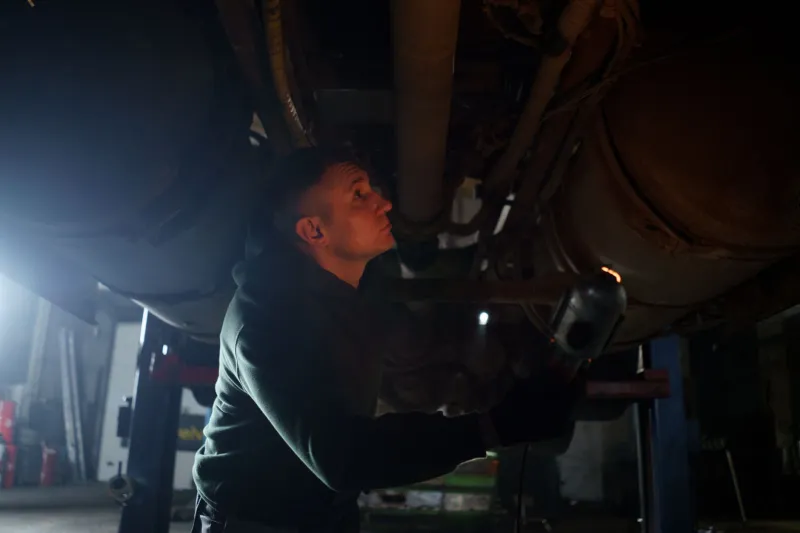
A car's screen can be revealing, but it is only one part of the story. Clear it, check it, and then judge the car on how it drives and how it has been maintained. That is the Hyde Motors view: digital leftovers are useful, but they are not a substitute for looking underneath.